Tile golf – fast‑fire mini‑golf on CrazyGames
Tile golf flips classic golf into a bite‑size puzzle shooter. You start each level by snatching a coin, then line up a perfect swing to drop the ball into the hole. One shot, one score. Miss the coin, and you’re back to square one. The game cranks up the pressure with 21 increasingly tricky boards, each demanding pinpoint aim and split‑second timing. It runs on HTML5, so it loads instantly in any browser and feels smooth on desktop, tablet, or phone. Kids love the bright tiles and quick rounds, while seasoned players chase leaderboard glory. If you enjoy razor‑sharp reflexes and a dash of strategy, Tile golf is the perfect pick‑up match.
Mechanics
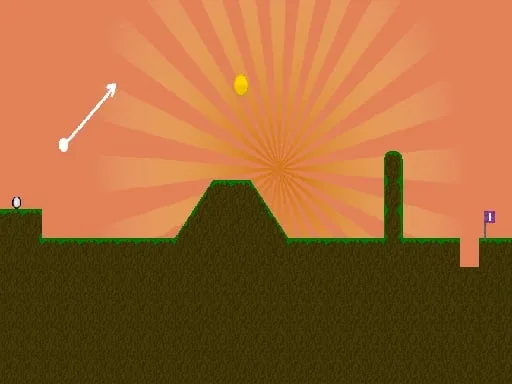
Control the ball with a single drag‑and‑release motion. Aim your shot, hold, then release to fire. The same gesture works on touch screens—just swipe with your finger. The physics engine reacts instantly, rewarding precise angles and power.
- Aim and shoot using the mouse for the computer and finger for touch screen devices
Strategy
Every level hides a sweet spot where the ball will roll straight into the hole after the coin is collected. Start by scanning the tile layout. Look for walls that can bounce the ball toward the target. The shortest path isn’t always the safest—sometimes a longer angle avoids obstacles and gives you a cleaner finish. Master the power meter: a light tap sends the ball crawling, while a full pull launches it across the board. Watch the bounce physics; a well‑timed rebound can shave seconds off your score. As you progress, new tile types appear—moving platforms, slippery ice, and rotating obstacles. Adapt your aim each time. Keep an eye on the leaderboard after each round; improving by even a single stroke can vault you into the top ranks.
Hit the green and prove you’ve got the precision of a pro. Play Tile golf now on Tile golf and see how fast you can clear all 21 stages. The leaderboard awaits your name—make it count!
Aim and shoot using the mouse for the computer and finger for touch screen devices