Click to play
x
Controls

Controls

  • Space to Jump
  • WASD to walk
  • R to reset
  • Tab to pause, select levels, rebind keys, or change your mouse sensitivity
  • Hold A to glide on Surface to the left
  • Hold D to glide on Surface to the right
  • Hold A mid air and move the Mouse to glide left
  • Hold D mid air and move the Mouse to glide right
Hint: turn down your mouse sensitivity to make it easier
SURF

SURF

SURF
Click to play
This game is not available on mobile.
rotate phone

CrazyGames' Latest Thrill: SURF

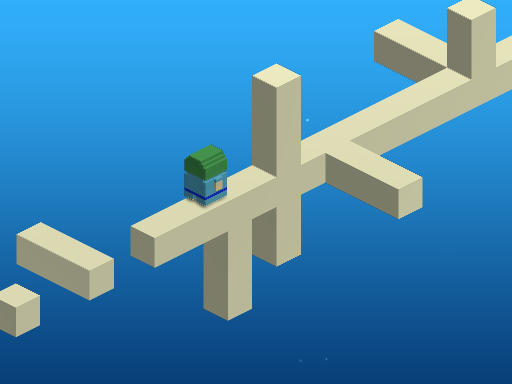
Get ready to test your skills on the most unpredictable waves in the gaming world! SURF, the latest browser game from CrazyGames, combines 3D graphics with the addictive thrill of speed and jumping challenges. With increasingly difficult levels to conquer, you'll need to stay focused and precise to claim the top spot on the leaderboards.

But don't get too comfortable – the controls in SURF require precision timing and mastery of the WASD keys. Here's how to play:

  • Jump using the Space bar to clear obstacles and propel yourself forward.
  • Use WASD to walk along the surface and maintain your momentum.
  • Hold the R key to reset and try again if you fail.
  • Press Tab to pause the game, select levels, rebind keys, or change your mouse sensitivity.
  • To glide on the surface to the left, hold A. To glide to the right, hold D.
  • Mid-air, hold A and move your mouse to the left to glide, or hold D and move your mouse to the right.
  • Hint: turn down your mouse sensitivity to make it easier to glide.
SURF Gameplay

To take your skills to the next level, focus on developing a sense of timing and spatial awareness. Practice your jumps and glides to master the art of SURF. As you progress through the levels, the challenges will only get tougher, but the sense of accomplishment you'll feel when you conquer them will be unbeatable.

So, what are you waiting for? Head over to SURF now and experience the thrill of CrazyGames' latest browser game for yourself. And when you're ready for more, check out the vast collection of games at CrazyGames – your one-stop destination for the best online gaming experience.

Instructions:

Controls

  • Space to Jump
  • WASD to walk
  • R to reset
  • Tab to pause, select levels, rebind keys, or change your mouse sensitivity
  • Hold A to glide on Surface to the left
  • Hold D to glide on Surface to the right
  • Hold A mid air and move the Mouse to glide left
  • Hold D mid air and move the Mouse to glide right
Hint: turn down your mouse sensitivity to make it easier
Customise Consent Preferences Close

We use cookies to help you navigate efficiently and perform certain functions. You will find detailed information about all cookies under each consent category below.

The cookies that are categorised as "Necessary" are stored on your browser as they are essential for enabling the basic functionalities of the site.

Always Active

Necessary cookies are required to enable the basic features of this site, such as providing secure log-in or adjusting your consent preferences. These cookies do not store any personally identifiable data.

Functional cookies help perform certain functionalities like sharing the content of the website on social media platforms, collecting feedback, and other third-party features.

Analytical cookies are used to understand how visitors interact with the website. These cookies help provide information on metrics such as the number of visitors, bounce rate, traffic source, etc.

Advertisement cookies are used to provide visitors with customised advertisements based on the pages you visited previously and to analyse the effectiveness of the ad campaigns.

We also use third-party cookies that help us analyse how you use this website, store your preferences, and provide the content and advertisements that are relevant to you. These cookies will only be stored in your browser with your prior consent.

You can choose to enable or disable some or all of these cookies but disabling some of them may affect your browsing experience.