Controls
Use the left mouse button to start coloring (follow in-game instructions to use keyboard control).
Use the left mouse button to start coloring (follow in-game instructions to use keyboard control).
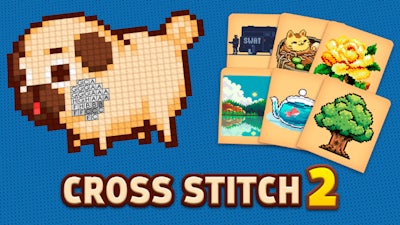


Cross Stitch 2 turns a classic coloring‑by‑numbers puzzle into a crisp 2D pixel art session. Every picture starts as a grid of empty squares, each tagged with a number that maps to a specific hue. The goal? Fill every cell until the hidden illustration bursts into vibrant color. It’s a low‑key way to kill time, but the growing difficulty curve keeps the challenge fresh. Whether you’re a casual browser player or a seasoned color‑enthusiast, the satisfaction of watching a blank canvas transform is addictive. Grab a moment, fire up your mouse, and see why this title stands out on CrazyGames.
Mastering the interface takes seconds. Follow the simple rule set below and you’ll be stitching like a pro:
Success isn’t just about clicking fast; it’s about planning. Start with the highest‑frequency numbers—they often cover the biggest sections and give you quick visual progress. Keep an eye on the color legend; some shades repeat across distant parts of the grid, so a single color can unlock multiple zones. When you hit a tight cluster, zoom in with the mouse wheel to place pixels precisely—this reduces mistakes and saves time. As you climb the difficulty ladder, patterns become denser and the color palette expands, demanding sharper focus. The built‑in timer adds a competitive edge: beat your previous record and watch the leaderboard climb. This blend of puzzle logic and speed keeps players looping back for “just one more stitch.”
Ready to prove your coloring chops? Jump straight into Cross Stitch 2 on CrazyGames and start filling those pixels. The next masterpiece is waiting—grab your mouse, pick a hue, and turn blank squares into art.
Use the left mouse button to start coloring (follow in-game instructions to use keyboard control).

We use cookies to help you navigate efficiently and perform certain functions. You will find detailed information about all cookies under each consent category below.
The cookies that are categorised as "Necessary" are stored on your browser as they are essential for enabling the basic functionalities of the site.
Necessary cookies are required to enable the basic features of this site, such as providing secure log-in or adjusting your consent preferences. These cookies do not store any personally identifiable data.
Functional cookies help perform certain functionalities like sharing the content of the website on social media platforms, collecting feedback, and other third-party features.
Analytical cookies are used to understand how visitors interact with the website. These cookies help provide information on metrics such as the number of visitors, bounce rate, traffic source, etc.
Advertisement cookies are used to provide visitors with customised advertisements based on the pages you visited previously and to analyse the effectiveness of the ad campaigns.
We also use third-party cookies that help us analyse how you use this website, store your preferences, and provide the content and advertisements that are relevant to you. These cookies will only be stored in your browser with your prior consent.
You can choose to enable or disable some or all of these cookies but disabling some of them may affect your browsing experience.