Controls
- WASD or arrow keys to move
- Left click to shoot portal
- Q to shoot blue portal
- E to shoot yellow portal
- R to reset portals
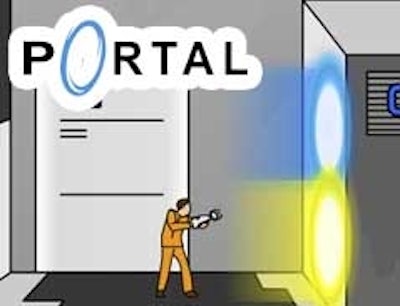


Portal: The Flash Version drops the iconic physics‑puzzle series straight into the browser. You wield a portal gun, slap blue and orange gates onto walls, then jump, sprint, and fling yourself through space. Every level feels like a tight, retro‑style platform test that rewards split‑second timing. Play on desktop or mobile, no download needed, and experience the same mind‑bending fun that made the original a legend.
Master the controls, then start chaining portals to solve each puzzle. The setup is simple, the execution is ruthless.
Every room hides a shortcut. Start by scouting the layout before you fire any portal. Spot the highest platform you can reach with a single jump, then place a blue gate on the floor and an orange gate on the ceiling to create a vertical launch. Timing matters: wait for the momentum to peak, then dash through. If a corridor seems dead‑end, reset with R and try a different angle. Remember, the fastest route isn’t always the straight line—use walls as bounce pads, and chain portals to glide across large gaps. As you progress, new obstacles appear: moving platforms, laser grids, and anti‑portal fields. Counter each with a mix of precise placement and quick reflexes. Keep an eye on the timer; the leaderboard rewards both speed and efficiency, so trim wasted hops whenever you can.
Ready to test your portal‑crafting chops? Jump into Portal: The Flash Version now, and see why this Flash‑based classic still shocks players years later. Play instantly on CrazyGames and start racking up high scores today.

We use cookies to help you navigate efficiently and perform certain functions. You will find detailed information about all cookies under each consent category below.
The cookies that are categorised as "Necessary" are stored on your browser as they are essential for enabling the basic functionalities of the site.
Necessary cookies are required to enable the basic features of this site, such as providing secure log-in or adjusting your consent preferences. These cookies do not store any personally identifiable data.
Functional cookies help perform certain functionalities like sharing the content of the website on social media platforms, collecting feedback, and other third-party features.
Analytical cookies are used to understand how visitors interact with the website. These cookies help provide information on metrics such as the number of visitors, bounce rate, traffic source, etc.
Advertisement cookies are used to provide visitors with customised advertisements based on the pages you visited previously and to analyse the effectiveness of the ad campaigns.
We also use third-party cookies that help us analyse how you use this website, store your preferences, and provide the content and advertisements that are relevant to you. These cookies will only be stored in your browser with your prior consent.
You can choose to enable or disable some or all of these cookies but disabling some of them may affect your browsing experience.