Pixel Art - Color by Numbers: Easy, Fun, and Addictive for Everyone
Pixel Art - Color by Numbers is the perfect game for quick breaks or long sessions. No skills? No problem. Just follow the numbers and watch your masterpiece come to life. With a clean HTML5 interface, this game runs smoothly on all devices—no downloads needed. Whether you're into casual gaming or just love coloring, this one hits all the right spots. And it’s free—because great art shouldn’t cost a thing.
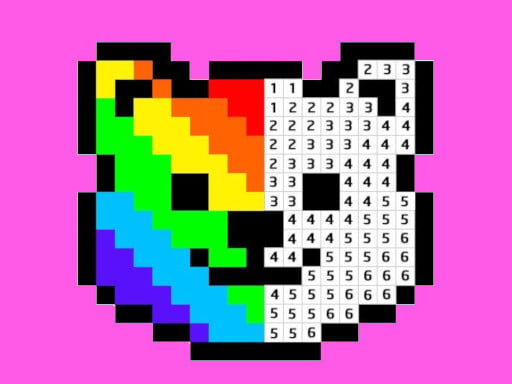
Getting the hang of Pixel Art - Color by Numbers is easy. The game gives you a blank grid and color numbers to match each section. It’s all about placing the right color in the right spot. Here's how to play:
- Left click to draw a pixel
- Hold for 2 seconds to activate multi-pixel mode
- Drag your mouse to color multiple pixels at once
Controls are simple, but the satisfaction is huge. Every completed image feels like a win. And with hundreds of free pixel art templates, you’ll never run out of new designs to color.
Why Pixel Art - Color by Numbers Keeps You Coming Back
The charm of Pixel Art - Color by Numbers lies in its simplicity and variety. You don’t need to be an artist or a pro gamer—just a fan of relaxing, creative play. Each completed project gives you a sense of achievement, and the pixel-based visuals make every image feel nostalgic and fun. New levels pop up regularly, so you can always try something fresh. From animals to landscapes, the range is impressive. And because it’s an arcade-style, 1 Player game, you can take it anywhere—no distractions, just pure focus on the art.
Play the Best Pixel Art Game on CrazyGames
Ready to make some colorful magic? Pixel Art - Color by Numbers is one of the top-rated casual coloring games on CrazyGames, and it’s easy to see why. It’s fast-loading, free to play, and designed for all ages. Whether you’re a kid looking for something fun or a grown-up craving a break, this game delivers. No pressure, no stress—just you, your mouse, and a world of pixel art to create. So open a tab, pick your colors, and start filling in those numbers. Your next masterpiece is just a click away.
Left click to draw a pixel hold 2 seconds and drag to draw multiple pixels