Geometric Sniper - Z: Sharp Aim, Deadly Zombies
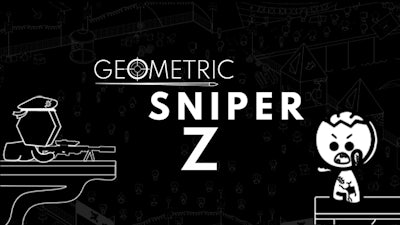
In a stark black‑and‑white arena, you’re the last line of defense. A horde of relentless Zombie foes swarms the ruins, and every shot counts. Grab the sniper rifle, line up the perfect kill, and protect the few survivors clinging to hope. This isn’t just a shooting gallery; it’s a high‑stakes Mission that tests precision, timing, and nerves. Miss a beat, and the undead overwhelm the safe zone. Your gun is the only thing standing between chaos and a grim ending.
Mechanics
Master the controls, lock onto targets, and keep the killing spree under your thumb. Quick reflexes and a calm mind win every round.
- Controls P = pause
- Move mouse = aim
- Right-click = precision
- Left-click = fire
- Mouse scroll = zoom in / out
- Press scroll = pet menu
- Ctrl = cover
- Q = change weapon
- E = activate heat vision
- R = reload
- Tab = answer phone
- Space = precision
- F12 = screenshot
Strategy
Start each round by scanning the horizon. The farther you zoom, the easier it is to spot mutant Zombie clusters before they close in. Use heat vision (E) to reveal hidden enemies lurking in shadows. Switch weapons (Q) when a fast‑moving pack appears; the secondary gun fires faster but sacrifices range. Keep an eye on your ammo count—reload only when you’re safely covered (Ctrl). Money earned from killing grants upgrades: faster reload, steadier aim, or extra health packs for the survivors. Prioritize upgrades that suit your playstyle; a sniper who likes long shots will value zoom stability, while a close‑quarters shooter benefits from rapid fire. Remember, each survivor rescued adds a permanent bonus to your next Mission. Stay mobile, use cover, and never let a Zombie get within melee range.
Ready to prove you have the deadliest aim on CrazyGames? Jump into Geometric Sniper - Z now, lock that scope, and turn every Zombie into a target on your scoreboard. Your next high‑score is just a click away.