Dragon Fist 3 – The Flash‑Powered Fighting Showdown You Can’t Miss
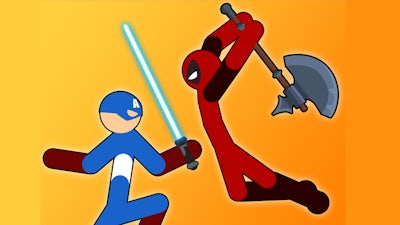
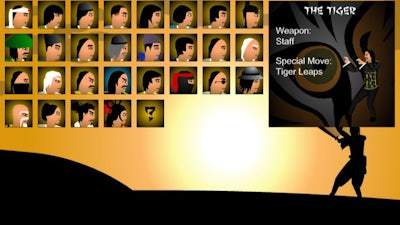
Picture a gauntlet of martial‑arts masters, each wielding a distinct weapon, and you in the driver’s seat. Dragon Fist 3 throws you straight into that arena, demanding split‑second reflexes and razor‑sharp combos. Whether you’re hunting solo glory or trash‑talking a buddy, the game’s fast‑paced flash action makes every match feel like a high‑stakes brawl. Choose your fighter, lock in your style, and dominate the arena before the next opponent even blinks.
Dragon Fist 3 Controls – Master the Basics, Then Break the Rules
Getting the hang of the control scheme is the first step toward owning the fight. Below is the full layout for both players, plus a few combo tricks that turn simple button presses into devastating moves.
- Player 1: A = Move left, D = Move right, W = Jump, S = Block, T = Punch, Y = Kick, U = Draw/Throw weapon.
- Player 2: Left Arrow = Move left, Right Arrow = Move right, Up Arrow = Jump, Down Arrow = Block, Num 4 = Punch, Num 5 = Kick, Num 6 = Draw/Throw weapon.
- Combo Tips: Press Punch while blocking for a grab. Hit Punch + Kick together to unleash a special move (requires your power gauge to sit below the red HP line).
- Advanced Moves: Mix directional inputs with attacks to perform sweeps, aerial kicks, or weapon combos. Experiment – the game rewards creativity.
CrazyGames Strategy Tips – Stay One Step Ahead
Winning isn’t just about button mashing; it’s about reading your opponent and managing resources. Keep your power gauge low to unlock specials, but don’t sacrifice health – the red line is a clear warning. In single‑player mode, study each master’s pattern: ranged weapon users favor distance, while close‑range brawlers rely on feints. Use the character creator to tailor a fighter that exploits those weaknesses – a fast striker with a quick‑draw weapon can outpace heavier opponents.
Multiplayer matches hinge on mind games. Bluff with a fake block, then strike with a grab. Swap between punch‑kick combos and weapon throws to keep the rival guessing. Every victory pumps the experience meter, unlocking new skins, moves, and even arena variations. The progression loop is tight: fresh gear fuels fresh tactics, which fuels more wins. That cycle is why you’ll find yourself coming back for “just one more round.”
Ready to throw down? Jump straight into the action on Dragon Fist 3 and feel the adrenaline surge. Play now on CrazyGames – no download, no hassle, pure fighting chaos. Your next knockout is only a keystroke away.
You can combine buttons to do different moves, like pressing punch while blocking will result in a grab, or pressing punch and kick at the same time will release a special move (you'll need to have your power gauge under your HP to be red)