Build, Break, and Bounce in Craft 3D – The Ultimate Blocky Sandbox Adventure
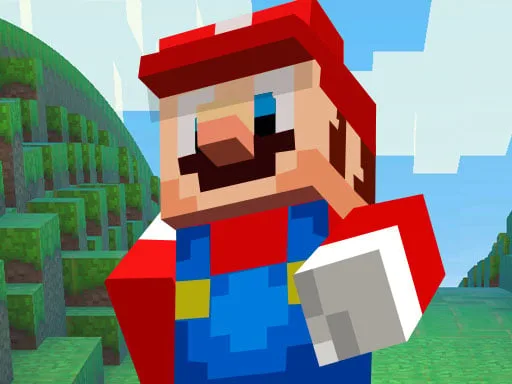
Craft 3D is a fast-paced, block-building sandbox game that brings the creative freedom of
Minecraft into a sleek 3D environment. With simple controls, endless building possibilities, and addictive progression systems, this game lets you shape entire worlds from scratch. Whether you're stacking blocks, designing skyscrapers, or crafting unique structures,
Craft 3D gives you the tools to build your vision and test it in real time. The game is optimized for quick play and deep creativity, making it a hit for casual builders and seasoned blockheads alike.
Getting started in Craft 3D is easy, but mastering it takes time. Here's how the controls work:
- WASD or Arrow Keys: Move around the world
- R: Move up
- F: Move down
- Mouse: Look around
- Left click: Create blocks
- Right click: Destroy blocks
- P: Duplicate floors using the duplicator
- X: Return to your starting position
- 0-6: Switch block colors (Grey, Black, White, Red, Green, Blue, Yellow)
Once you get the hang of it, you can start using the floor duplicator to copy and stack entire building sections in seconds or the terrain generator to add pre-made objects to your designs. These tools make the 3D building experience fast, flexible, and deeply satisfying.
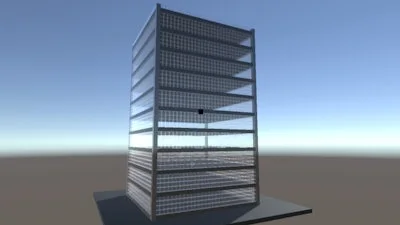
What really makes Craft 3D addictive is the balance between creative expression and instant results. Every block you place feels meaningful, and the tools help you iterate quickly. The more you play, the more you’ll discover new ways to streamline your builds, optimize designs, and test out wild architectural ideas. The game rewards experimentation, and the freedom to make mistakes is part of the fun. You can go from a basic cube to a towering masterpiece in minutes, and the satisfaction of seeing your creation take shape is unmatched.
Play Craft 3D and Build Beyond the Blocks on CrazyGames
If you love
3D building,
block crafting, or just want to get creative with your imagination,
Craft 3D is the perfect game for you. With its intuitive controls, fast building tools, and endless replayability, this game is a standout on
CrazyGames. Jump in, start stacking, and see what kind of world you can create.