Color Screw 3D – Twist Your Brain
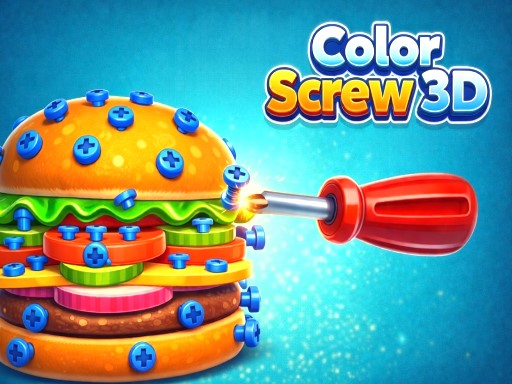
Color Screw 3D drops you into a vivid, physics‑driven arena where every bolt matters. One player, one rotating object, endless layers of color‑coded challenges. Each level feels like a fresh puzzle, perfect for quick hyper‑casual sessions or longer strategic marathons. The game blends logical thinking with satisfying visual feedback, making it a standout among 2026 games. If you love match‑3 mechanics with a twist, this is the title that will keep you coming back for relaxation and bragging rights.
How to Play
Controls are simple, but mastery takes skill. On PC, hold the right mouse button and drag to spin the 3D model. Click any bolt to unscrew it. Mobile players swipe to rotate the object a full 360 degrees, then tap a bolt to remove it. Every action triggers realistic physics, so pieces fall away the moment you clear a support.
- How to Play bull On PC Hold Right Mouse Button and drag to rotate the object Click on a bolt to unscrew it bull On Mobile Swipe to rotate the object 360 deg Tap on a bolt to unscrew it
Winning Strategies
Start each level by scanning the color layout. Prioritize bolts that free the most pieces; the cascade effect speeds up clearance. Keep an eye on the three‑slot boxes—overfilling them locks you out of progress. Use the rotation to expose hidden bolts before you commit. As you climb the levels, the puzzles become tighter, demanding faster logical decisions. Remember, the physics engine rewards clean, efficient moves, so avoid random unscrews. For extra challenge, try beating each level without a single mistake and watch your score climb on the leaderboard.
Ready to test your reflexes and brainpower? Jump into Color Screw 3D now and experience a fresh take on hyper‑casual puzzle design. Whether you’re polishing a portfolio of games for your website or just looking for a quick burst of fun, CrazyGames has you covered. Play today, dominate the levels, and share your high scores with the community!
How to Play bull On PC Hold Right Mouse Button and drag to rotate the object Click on a bolt to unscrew it bull On Mobile Swipe to rotate the object 360 deg Tap on a bolt to unscrew it