Click to play
x
Controls

Controls

  • Left-click mouse = move ants and attack the enemies
  • Space = proceed to the next level
  • Up arrow key = camera up
  • Down arrow key = camera down
  • Left arrow key = camera left
  • Right arrow key = camera right
  • C = change camera option
  • R = reset camera
  • Z = reset Zoom
  • S = stop allies
  • Space = proceed to next level

License

MIT License

Apex Colony

Apex Colony

Apex Colony
Click to play
This game is not available on mobile.
rotate phone

Apex Colony: Top‑Down Ant Warfare on CrazyGames

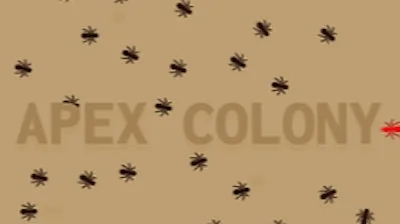
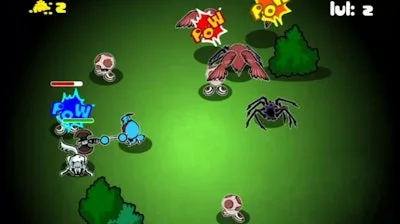
Take command of a lone ant and turn a barren patch into a thriving Animal empire. Every bite, every tunnel, and every clash pushes the colony forward. If you love fast‑paced, strategic action, this is the sandbox you’ve been waiting for.

How to Play – Mouse and Keyboard Controls

Master the simple yet deep command set. The mouse does the heavy lifting while the keyboard fine‑tunes your view.

  • Left‑click mouse – move ants, attack enemies
  • Space – proceed to the next level
  • Up arrow – camera up
  • Down arrow – camera down
  • Left arrow – camera left
  • Right arrow – camera right
  • C – change camera option
  • R – reset camera
  • Z – reset zoom
  • S – stop allies
  • License – MIT License
Apex Colony Gameplay

Winning Tactics & Progression

Start by scouting enemy patterns; the AI reacts to your ant’s pheromone trails. Prioritize building food chambers early—more ants mean faster offense. Use the camera controls to spot hidden threats; a well‑placed zoom can reveal a swarm before it overwhelms you. As you clear each wave, upgrade your allies and unlock new ant classes that specialize in mining, combat, or support. The deeper you go, the more complex the enemy formations become, keeping the gameplay fresh and addictive.

Ready to dominate the anthill? Jump into Apex Colony on CrazyGames now and prove you can build the ultimate ant empire. CrazyGames delivers the fast, Top‑Down action you crave—no downloads, just pure mouse‑driven chaos.

Instructions:

Controls

  • Left-click mouse = move ants and attack the enemies
  • Space = proceed to the next level
  • Up arrow key = camera up
  • Down arrow key = camera down
  • Left arrow key = camera left
  • Right arrow key = camera right
  • C = change camera option
  • R = reset camera
  • Z = reset Zoom
  • S = stop allies
  • Space = proceed to next level

License

MIT License

Customise Consent Preferences Close

We use cookies to help you navigate efficiently and perform certain functions. You will find detailed information about all cookies under each consent category below.


The cookies that are categorised as "Necessary" are stored on your browser as they are essential for enabling the basic functionalities of the site.

Always Active

Necessary cookies are required to enable the basic features of this site, such as providing secure log-in or adjusting your consent preferences. These cookies do not store any personally identifiable data.

Functional cookies help perform certain functionalities like sharing the content of the website on social media platforms, collecting feedback, and other third-party features.

Analytical cookies are used to understand how visitors interact with the website. These cookies help provide information on metrics such as the number of visitors, bounce rate, traffic source, etc.

Advertisement cookies are used to provide visitors with customised advertisements based on the pages you visited previously and to analyse the effectiveness of the ad campaigns.

We also use third-party cookies that help us analyse how you use this website, store your preferences, and provide the content and advertisements that are relevant to you. These cookies will only be stored in your browser with your prior consent.

You can choose to enable or disable some or all of these cookies but disabling some of them may affect your browsing experience.