






























+1 Speed Keyboard Lucky Escape – Fast‑Paced Brainrot Mayhem
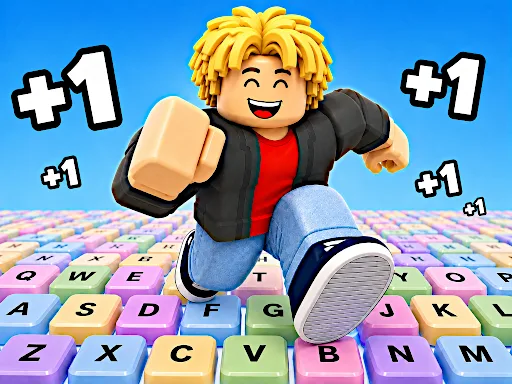
CrazyGames drops you into a giant keyboard where every keystroke could be your last. You launch Lucky Blocks with a bazooka, chase down rare Brainrots, and sprint away from the relentless Tung Tung Sahur. Each launch tests reflexes, each pickup fuels speed, and each escape pushes you closer to the Safe Zone. If you love split‑second decisions and a rush of loot, this 1player challenge will keep your heart pounding.
Mechanics
The control scheme mirrors classic arcade shooters, so you can jump in without a tutorial. Master the timing, aim, and dash to survive the endless chase.
- Tap or click to fire the bazooka and send Lucky Blocks soaring.
- Use arrow keys or swipe to steer the block while it flies.
- Press space (or tap) to trigger a speed boost when you collect a +1 Speed pickup.
- Hit the escape key to dash toward the Safe Zone when the chase intensifies.
Strategy
Start by focusing on launch distance. A longer arc gives you more time to collect Brainrots and spot the next boost. Upgrade your bazooka early; each level adds a few extra meters to every shot, which translates into higher scores. When you hear the chase music, switch to running mode. Keep the block centered, avoid the edges, and use +1 Speed pickups to outrun Tung Tung Sahur. The game rewards risk: launching a block near the edge can snag high‑value Brainrots but also forces a tighter escape. In 2players mode, watch your opponent’s path and time your dash to cut them off. The 3d perspective adds depth cues that help you judge distance, so practice reading the keyboard’s angles to fine‑tune your aim. If you’ve enjoyed the kinetic feel of Roblox obstacle courses, you’ll recognize similar momentum tricks here—just faster and more rewarding.
Ready to test your reflexes and claim every Brainrot? Jump into the action on CrazyGames and see if you can survive the longest run.
